Your Highlights Are a Storefront Window, Not a Scrapbook
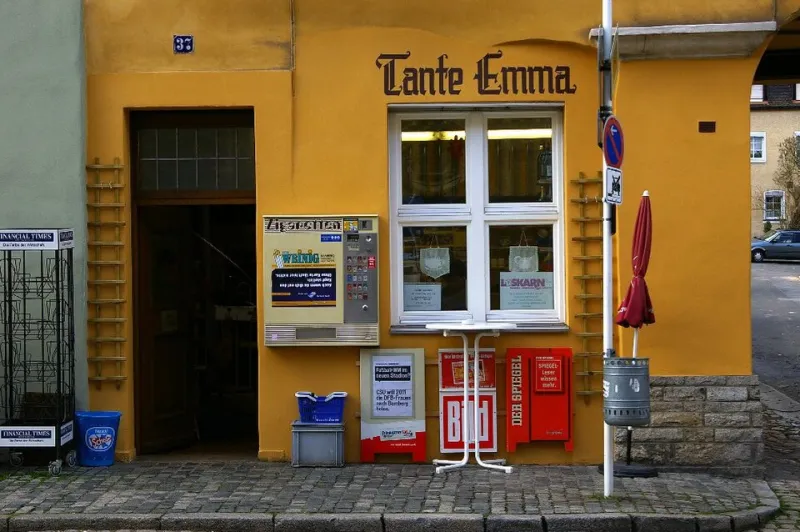
Photo: JoachimKohler-HB, CC BY-SA 4.0, via Wikimedia Commons
A stranger lands on your profile at 11:47 p.m., phone in one hand, half a sandwich in the other. They are not going to read your last 47 captions. They are going to tap the little circles under your bio. That is your real front door. And if those circles lead to a graveyard of expired promos and blurry behind-the-scenes clips, you just spent your one clear shot on a shrug.
Most small businesses treat Story Highlights like a junk drawer. A birthday repost here, a sale announcement there, a screenshot from two years ago that no longer makes sense. But highlights are not decoration. They are a storefront window. They are the sales page nobody calls a sales page because it does not look like one.
The good news: you do not need a content team, a videographer, or a weekend of filming. You need five highlights, a few old stories, and 30 minutes a month. Here is the setup that does the selling while you sleep.
1. Start Here: the 20-second orientation
This is not a welcome mat. It is a map. Give a new visitor three or four frames that answer the basics: who you help, what you sell, where you are, and what to do next. A bakery can say what is available this week and where to order. A contractor can say which towns they serve and how estimates work. A coach can say who they work with and what happens on the first call.
Keep the cover text simple: Start Here. Do not make people guess what the circle means.
2. Proof: the receipts highlight
This is where you put the evidence that you are not a risk. Customer reviews. Before-and-after shots. A photo of a happy client holding the thing they bought. A screenshot of a five-star message, with permission and names cropped if needed. A local press mention. A photo of your booth at the farmers market with a line of people.
You do not need a glossy case study. You need one clear signal that other people have trusted you and it worked out. Refresh this one monthly. Old proof is still proof, but recent proof feels alive.
3. Offer: the menu, not the pitch
This highlight should answer the question: what can I buy, and how much will it cost? You do not have to publish every price if your work is custom, but you should publish a starting range, a package name, or a clear next step. A salon can list services and booking link. An Etsy seller can show three bestsellers and shipping timelines. A restaurant can show the current menu and hours.
Think menu, not pitch. The goal is to remove friction, not to pressure anyone. If someone has to send a DM just to learn what you do, you are asking them to do homework before they have decided they like you.
4. Process: what working with you looks like
Behind the Scenes is a popular highlight name, but it often becomes a random collection of coffee cups and desk shots. Make it useful. Show the process from the customer side. How does an order get packed? What happens during a first consultation? How long does a project take? What should a client prepare before you arrive?
For a contractor, this could be photos of a clean job site, a timeline, and a note about permits. For a wedding vendor, it could be a sample timeline from inquiry to event day. This highlight quietly kills a dozen repetitive DMs before they happen.
5. Answers: the FAQ that saves your inbox
Shipping. Turnaround. Parking. Custom orders. Returns. Hours. Location. Whether you ship to Alaska. Whether someone can bring their dog. Put the questions you answer every week into one highlight and stop typing the same paragraph forever.
Use plain cover text: FAQs. Then let the frames do the work. If a question changes often, make that the frame you update first each month.
The 30-minute monthly refresh
Set a recurring calendar block on the first Monday of the month. Here is the whole ritual.
Minutes 0 to 10: watch like a stranger. Open each highlight and tap through the first three frames. Ask one question: would a person who has never met me understand what I do and what to do next?
Minutes 10 to 20: replace one stale frame per highlight. Pull from recent stories, a customer DM, a new review, a photo you already posted, or a question you answered in the comments. You are not creating new content. You are moving good existing content into a more useful place.
Minutes 20 to 25: clean the covers. Make sure the cover text is readable at thumbnail size. Short words beat clever words. Start Here beats Welcome to My World.
Minutes 25 to 30: delete expired promos. If a sale ended, remove it. If an event passed, archive it. A storefront window with last month's clearance sign tells people nobody is minding the shop.
The one rule that keeps it useful
Every frame should answer a buying question or remove a doubt. If it only documents your day, it belongs in Stories, not Highlights. The moment a highlight becomes a personal scrapbook, visitors stop tapping.
Hand your phone to a friend who does not follow you. Ask them to find your services, your proof, and your next step in under a minute. If they can, your highlights are doing their job. If they cannot, you do not need more content. You need a better window.